Introduction
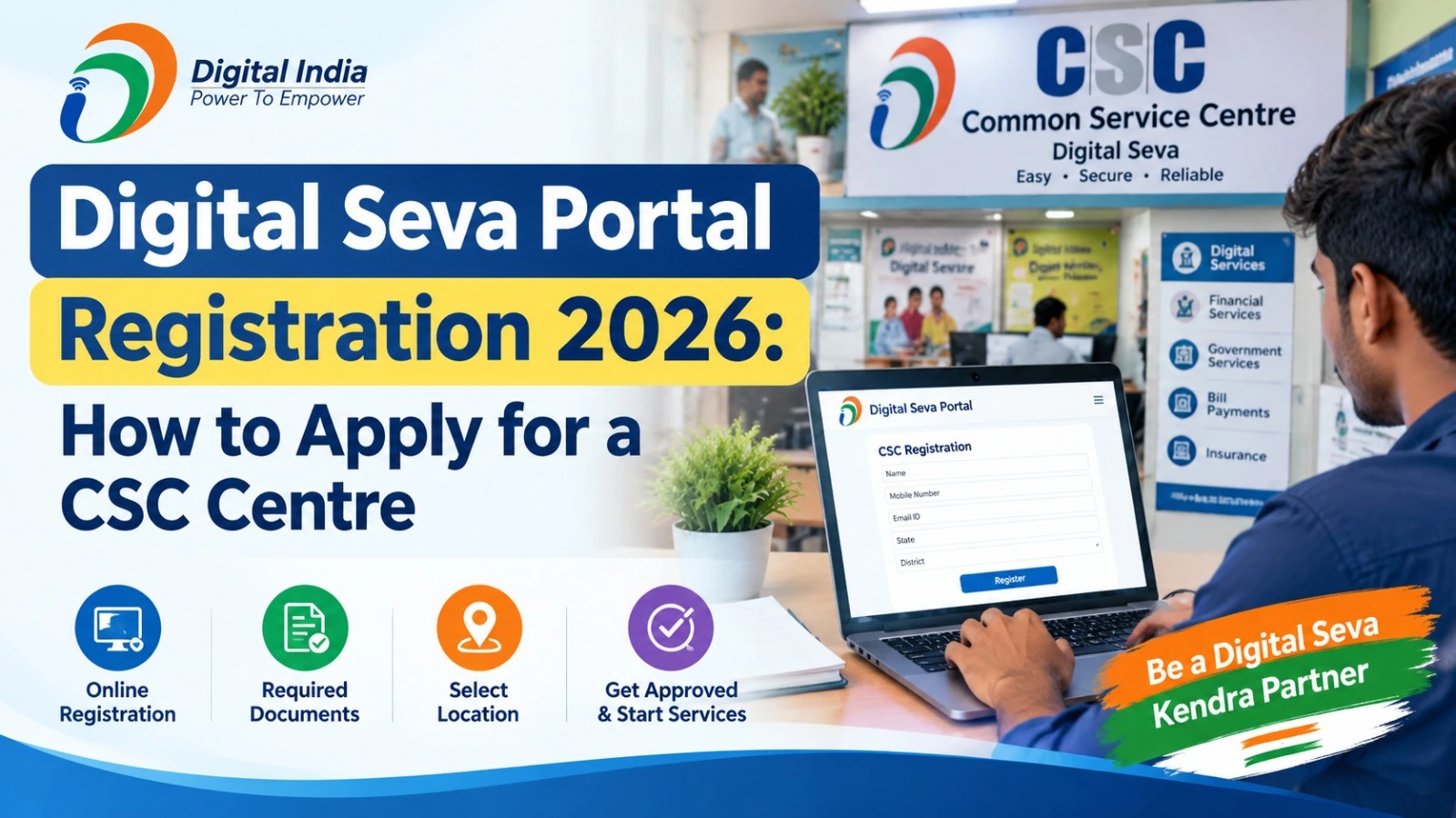
Digital Seva Portal Registration 2026 is an important topic for people who want to explore opening a Common Service Centre (CSC) and providing digital services in their local area. CSC centres help citizens access various government services, online applications, utility payments, education facilities and other digital services through a local service point.
People interested in starting a CSC centre should understand the registration process, eligibility requirements, documents and official websites before applying. The registration process and approval depend on the applicable CSC guidelines, so applicants should verify the latest instructions on the official portal.
What Is the Digital Seva Portal?
The Digital Seva Portal is an online platform used by registered CSC Village Level Entrepreneurs (VLEs) to access available services and operate their service centres.
Common Service Centres are part of India’s digital service delivery network. They help people, particularly in rural and underserved areas, access services that may otherwise require travelling to government offices or using online platforms independently.
The official Digital Seva Portal is:
Website: https://digitalseva.csc.gov.in/
New applicants should note that the Digital Seva Portal is primarily used to access CSC services. Applying to become a CSC operator is a separate process handled through the designated CSC registration system.
Digital Seva Portal Registration 2026: Important Details
| Particular | Details |
| Registration purpose | Apply to operate a Common Service Centre |
| Organisation | CSC e-Governance Services India Limited |
| Applicant category | Eligible individuals applying under the relevant CSC category |
| Registration portal | CSC Registration |
| Digital Seva login | digitalseva.csc.gov.in |
| Registration year | 2026 |
| Application deadline | Check the official portal for current announcements |
| Approval | Subject to verification and applicable CSC guidelines |
Applicants should use the official portal to confirm the currently available registration category and instructions before submitting their details.
Who Can Apply for a CSC Centre in 2026?
Eligibility requirements can depend on the registration category and the rules currently in force. Before applying, prospective applicants should check whether they meet the following general requirements:
- They meet the minimum age and other eligibility conditions specified by CSC.
- They have valid identification and the documents required for verification.
- They have a suitable location from which to provide services to citizens.
- They can arrange the computer, internet connection and other equipment required for the proposed services.
- They possess the Telecentre Entrepreneur Course (TEC) certificate or other qualification where required by the applicable registration category.
- They can provide accurate personal, contact, banking and centre-related information.
Meeting these general requirements does not guarantee approval. The final decision depends on the official registration process.
Documents Required for CSC Registration
Keep the following documents and information ready where applicable:
- Aadhaar card or another identity document accepted by the portal.
- PAN card.
- Active mobile number and email address.
- Recent photograph.
- Residential and proposed centre address details.
- Banking information and supporting documents, if requested.
- TEC certificate number or other applicable qualification details.
- Centre photographs, infrastructure information or location details, if required.
The exact document list may vary. Follow the requirements displayed on the official application form rather than relying only on older online guides.
How to Apply for Digital Seva Portal Registration 2026
Follow these steps to begin the CSC registration process.
Step 1: Visit the Official CSC Registration Website
Open the official CSC registration portal. Check the available registration options and instructions for new applicants.
Avoid third-party websites that claim to guarantee CSC IDs or approval.
Step 2: Select the Appropriate Registration Category
Choose the relevant application category, such as CSC Village Level Entrepreneur (VLE), if it is available and applicable to you.
Read the eligibility conditions carefully. Do not select an unrelated category simply to proceed with the application.
Step 3: Enter Your Required Details
Provide the information requested by the portal. Depending on the application process, this may include your mobile number, email address, certificate details and identity verification information.
Complete any OTP or other verification steps shown on the official website.
Step 4: Complete the Application Form
Fill in the required personal details, address, proposed centre location and other requested information. If the form includes sections for kiosk infrastructure, banking details or supporting documents, complete them according to the instructions.
Review every entry before proceeding.
Step 5: Upload Documents and Submit
Upload the required documents in the file formats and sizes specified by the portal. Check that the information is readable and matches the details entered in your application.
Submit the form only after reviewing the information and accepting the applicable terms.
Step 6: Save Your Application Reference Number
After successful submission, save the application reference number or acknowledgement displayed by the portal. Keep a copy for future reference.
An application acknowledgement does not necessarily mean that your CSC registration has been approved.
How to Check CSC Registration Status
Applicants can check their application progress through the official registration system, subject to the available tracking facility.
- Visit the CSC Registration Portal.
- Look for the application status or tracking option.
- Enter your application reference number and other requested details.
- Complete the captcha or verification process, if displayed.
- Review the status and follow any additional instructions.
If the status is unclear, use the contact details published on the official CSC website for assistance.
What Services Can a CSC Centre Provide?
The services available depend on the operator’s authorisation, training and the service providers connected to the centre.
| Service category | Examples |
| Government services | Selected online government applications |
| Financial services | Authorised banking and financial inclusion services |
| Utility services | Eligible bill payment facilities |
| Education | Digital learning and training services |
| Agriculture | Selected farmer-related digital services |
| Citizen assistance | Help accessing available online services |
Not every CSC operator automatically receives permission to provide every service. Some activities require separate approval, certification, equipment or agreements.
Is There a Registration Fee for a CSC Centre?
Applicants should verify any applicable registration, training or certification fee directly through the official portal. Requirements and charges may differ by process or category.
Do not pay an agent who promises guaranteed approval, a confirmed CSC ID or faster processing without official authorisation. Never share your OTP, passwords or banking credentials with an unknown person.
Important Official Links for CSC Applicants
| Purpose | Official website |
| Digital Seva login | https://digitalseva.csc.gov.in/ |
| CSC registration | https://register.csc.gov.in/ |
| CSC information and services | https://www.csc.gov.in/ |
If a page is unavailable or the registration option has changed, begin from the official CSC website and follow its current registration instructions.
Frequently Asked Questions
1. Can I apply for a CSC centre online in 2026?
Applicants can check the official CSC registration portal for the current application process and available categories. Registration availability and eligibility should be confirmed before applying.
2. Is Digital Seva Portal registration the same as CSC registration?
No. The Digital Seva Portal is used by registered operators to access services, while new applicants must follow the designated CSC registration procedure.
3. Is a TEC certificate compulsory for CSC registration?
TEC certificate requirements depend on the applicable registration category and current CSC rules. Check the official registration instructions before enrolling in a course or paying a fee.
4. How can I check my CSC application status?
Visit the official CSC registration website and look for the status-tracking facility. Use your application reference number and follow the instructions displayed.
5. Does submitting an application guarantee a CSC ID?
No. Submission does not guarantee approval. Applications may require verification and must satisfy the applicable registration conditions.
Conclusion
Digital Seva Portal Registration 2026 can be a starting point for people interested in operating a Common Service Centre and helping citizens access digital services. Before applying, verify the latest eligibility rules, required documents, certificate conditions and any applicable fees through the official CSC websites.
Use the designated registration portal to submit your application, keep the acknowledgement safely and monitor its status through the available tracking facility. Checking official information before making payments can help applicants avoid misleading claims and unnecessary expenses.