Introduction
If you are looking for the Digital Seva Login process in 2026, you’ve come to the right place. The CSC Digital Seva Portal is one of India’s most important government digital platforms, allowing Village Level Entrepreneurs (VLEs) to deliver hundreds of online public services from a single dashboard.
Whether you want to access government schemes, Aadhaar-related services (where authorized), PAN services, insurance, banking, utility bill payments, or citizen certificates, the Digital Seva Portal acts as a gateway to these services.
In this guide, you’ll learn how to log in to the Digital Seva Portal, who can access it, the documents required for CSC registration, common login issues, and the latest updates for 2026.
What is Digital Seva Login?
Digital Seva Login is the secure authentication system used by registered Common Service Centre (CSC) Village Level Entrepreneurs (VLEs) to access the Digital Seva Portal.
Once logged in, eligible users can manage various government and citizen services from a single dashboard.
Some of the popular services include:
- Government scheme applications
- Utility bill payments
- Banking and financial services
- Insurance services
- PAN card-related services
- Pension services
- Education services
- Telemedicine
- Digital document services
- Skill development services
The portal helps bridge the gap between government services and rural citizens by providing easy digital access through CSC centres.
Digital Seva Login 2026 Overview
| Particular | Details |
| Portal Name | Digital Seva Portal |
| Managed By | CSC e-Governance Services India Limited |
| Ministry | Ministry of Electronics & Information Technology (MeitY) |
| Login Type | CSC VLE Login |
| User | Registered VLEs |
| Mode | Online |
| Official Portal | https://digitalseva.csc.gov.in |
| Registration | Online (subject to CSC guidelines) |
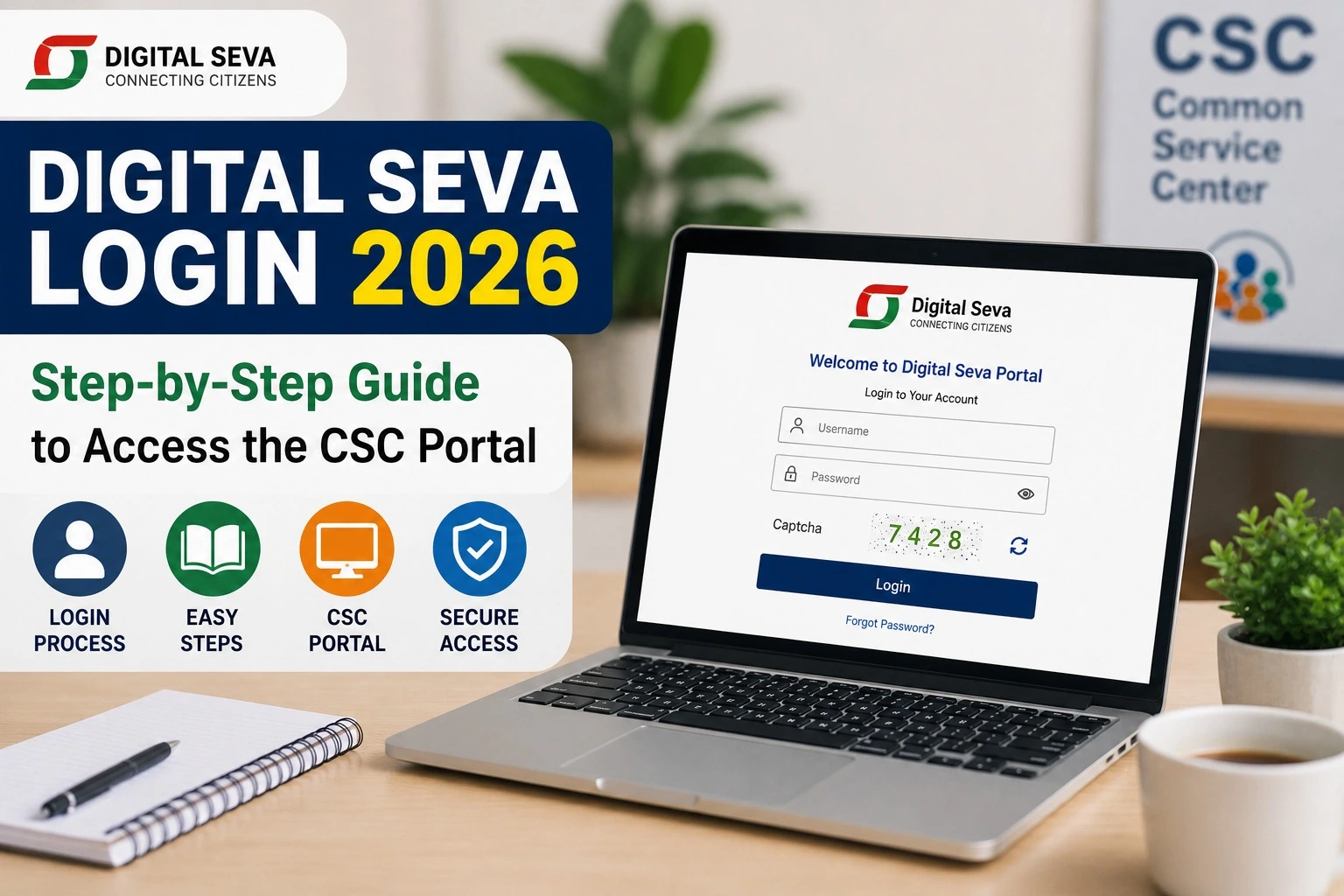
How to Login to the Digital Seva Portal
Follow these simple steps to access your account.
Step 1
Open the official Digital Seva Portal.
Step 2
Click on Login.
Step 3
Enter your:
- CSC ID
- Username (if applicable)
- Password
Step 4
Complete the security verification if prompted.
Step 5
Click Sign In.
Once authenticated, your Digital Seva dashboard will open, where you can access the available services based on your authorization.
Who Can Use Digital Seva Login?
Digital Seva Login is primarily designed for:
- Registered CSC Village Level Entrepreneurs (VLEs)
- Authorized CSC operators
- Approved service providers connected with CSC
General citizens usually access services through their nearest CSC centre rather than logging into the Digital Seva Portal themselves.
Documents Required for CSC Registration
If you wish to become a CSC VLE, you may need documents such as:
- Aadhaar Card
- PAN Card
- Bank Account Details
- Mobile Number
- Email ID
- Passport-size Photograph
- Address Proof
- Educational Qualification (where applicable)
Document requirements may change based on official CSC guidelines.
Major Services Available After Digital Seva Login
After successful login, eligible users can access a wide range of digital services.
| Service Category | Available Services |
| Government Services | Certificates, Applications, Schemes |
| Banking | Banking Correspondent Services |
| Insurance | Life & General Insurance |
| Education | Online Courses & Examinations |
| Health | Telemedicine & Health Services |
| Utility | Electricity, Water & Gas Bill Payment |
| Financial | Pension, Banking & Digital Payments |
| Agriculture | Farmer-related Services |
| Digital Documents | Various Citizen Services |
The availability of specific services depends on CSC authorization and government regulations.
Benefits of Digital Seva Login
Some major advantages include:
- Single dashboard for multiple government services
- Faster citizen service delivery
- Secure online authentication
- Digital payment integration
- Access to government-approved services
- Rural digital empowerment
- Paperless service delivery
- Time-saving workflow for VLEs
Common Digital Seva Login Problems
Users occasionally face login-related issues.
| Problem | Possible Solution |
| Forgot Password | Use the password recovery option available on the portal. |
| Invalid CSC ID | Verify your registered credentials. |
| Website Not Opening | Try again later or check your internet connection. |
| OTP Not Received | Ensure your registered mobile number is active. |
| Account Locked | Contact CSC support through official channels. |
Always use the official portal and avoid sharing login credentials with anyone.
Digital Seva Login Safety Tips
To keep your account secure:
- Use a strong password.
- Change your password periodically.
- Never share your CSC credentials.
- Access the portal only through the official website.
- Log out after completing your work.
- Avoid using public computers for login.
These simple precautions help protect your account and data.
Latest Digital Seva Updates for 2026
The Digital Seva ecosystem continues to support digital governance by expanding online citizen services and improving access through Common Service Centres. Registered VLEs should regularly check the official portal and CSC notifications for service availability, operational updates, training opportunities, and newly launched government initiatives.
Why Digital Seva is Important
Digital Seva has become a key component of India’s Digital India initiative. Through thousands of CSC centres across the country, citizens—especially those in rural and remote areas—can access essential government and digital services without needing to visit multiple government offices.
The platform supports financial inclusion, digital literacy, e-governance, and easier access to public services.
Frequently Asked Questions (FAQs)
Is Digital Seva Login free?
Yes. Registered CSC VLEs can log in using their authorized credentials. Certain services available through the portal may have government-approved service charges.
Who can use Digital Seva Login?
Only authorized CSC Village Level Entrepreneurs (VLEs) and approved users can access the Digital Seva dashboard.
Can any citizen create a Digital Seva Login?
No. Login access is intended for registered CSC operators. Citizens typically receive services through their nearest CSC centre.
What is the official website for Digital Seva Login?
The official portal is https://digitalseva.csc.gov.in.
What should I do if I forget my password?
Use the password recovery option on the official portal or contact CSC support if needed.
Final Words
The Digital Seva Login portal is an essential gateway for registered CSC Village Level Entrepreneurs to deliver government and digital services efficiently. From banking and insurance to certificates and utility payments, the platform enables faster, more accessible public service delivery across India.
If you are planning to become a CSC VLE or are already registered, always use the official Digital Seva Portal, keep your credentials secure, and stay updated with the latest announcements to make the most of the services available in 2026.