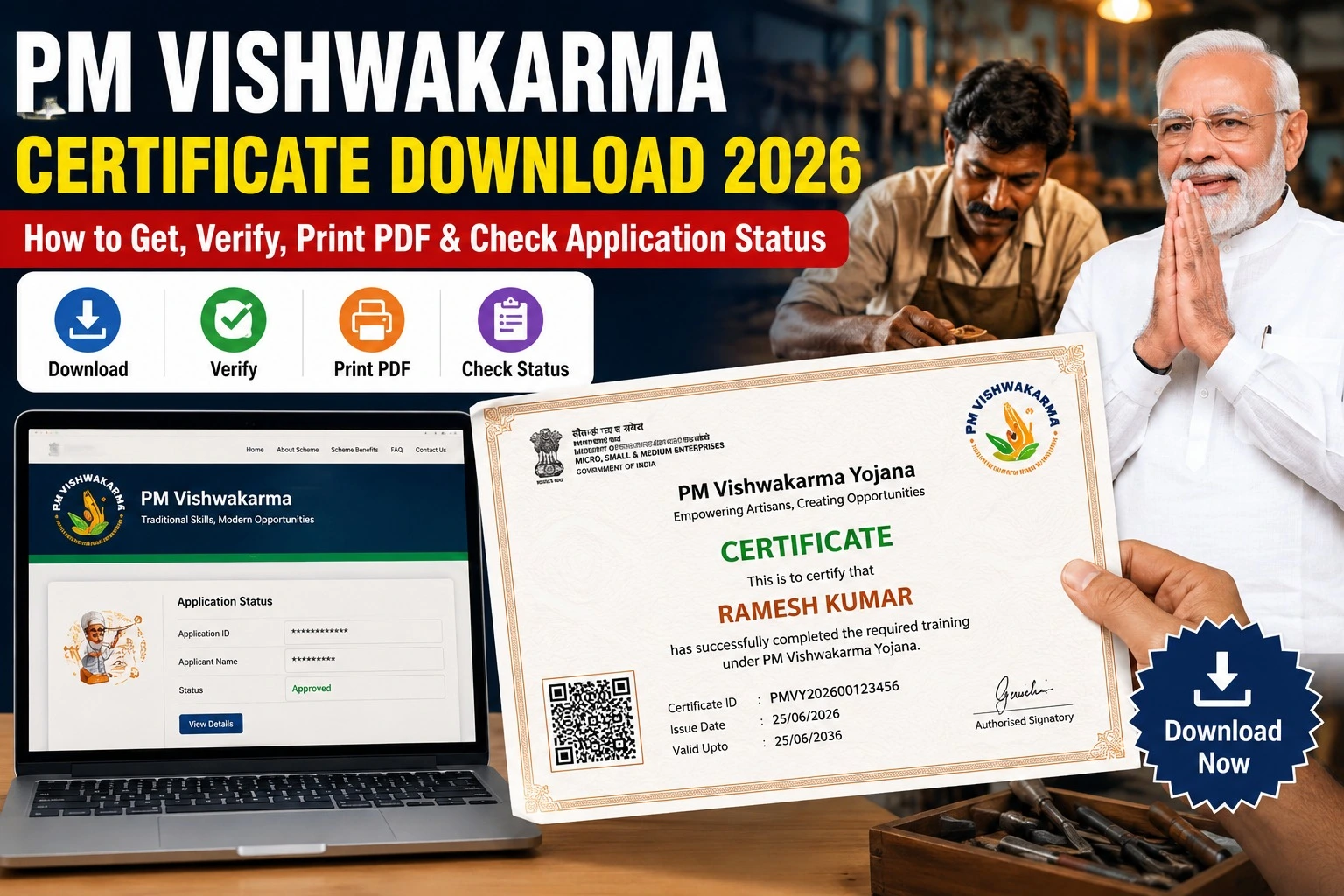
PM Vishwakarma Certificate Download 2026: How to Get, Verify, Print PDF & Check Application Status
If you have completed your registration or training under the PM Vishwakarma Yojana, downloading your certificate is one of the most important steps. The PM Vishwakarma Certificate acts as an official proof that you are registered under the Government of India’s flagship scheme for traditional artisans and craftspeople.
In this complete guide, you will learn how to download the PM Vishwakarma Certificate 2026, verify its authenticity, print the PDF, and check your application status. We have also explained the official portals, eligibility, common download issues, and important FAQs in simple language.
What is the PM Vishwakarma Certificate?
The PM Vishwakarma Certificate is an official digital certificate issued to eligible beneficiaries registered under the PM Vishwakarma Scheme. It confirms that the applicant has successfully enrolled in the scheme and is recognized as a beneficiary.
The certificate can be useful while applying for:
- Government scheme benefits
- Skill training programs
- Toolkit incentives
- Collateral-free loans
- Digital identity verification
- Future government welfare schemes
PM Vishwakarma Certificate Download 2026 – Quick Overview
| Particular | Details |
| Scheme Name | PM Vishwakarma Yojana |
| Article | PM Vishwakarma Certificate Download 2026 |
| Certificate Mode | Online PDF |
| Download Method | Official PM Vishwakarma Portal |
| Beneficiary | Registered Artisans & Craftspeople |
| Certificate Cost | Free |
| PDF Available | Yes |
| Verification | Online |
| Application Status | Available Online |
| Official Portal | https://pmvishwakarma.gov.in |
Who Can Download the PM Vishwakarma Certificate?
You can download your certificate if:
- Your PM Vishwakarma registration is approved.
- Your Aadhaar verification is completed.
- Your application has been successfully processed.
- Your beneficiary profile is active.
- Your registration details are available on the official portal.
How to Download PM Vishwakarma Certificate 2026
Follow these simple steps to download your certificate.
Step 1
Visit the official PM Vishwakarma Portal
Portal: https://pmvishwakarma.gov.in
Step 2
Click on Applicant Login.
Step 3
Login using your:
- Registered Mobile Number
- OTP
- Aadhaar-linked details (if required)
Step 4
Open your Dashboard.
Step 5
Click on Certificate Download.
Step 6
Your PM Vishwakarma Certificate PDF will appear on the screen.
Step 7
Click Download PDF.
Step 8
Save the certificate and print it for future use.
Documents Required
Keep these details ready before downloading:
| Required Document | Purpose |
| Aadhaar Card | Identity Verification |
| Registered Mobile Number | OTP Login |
| Application Number | Status Check |
| Beneficiary ID | Certificate Download |
| Internet Connection | Online Access |
How to Verify PM Vishwakarma Certificate
The Government also allows online verification.
Verification Process
- Visit the official portal.
- Open the Verification section.
- Enter your Certificate Number or Beneficiary ID.
- Submit the details.
- Your certificate status will be displayed.
If the certificate is genuine, the portal will display the beneficiary information.
How to Print PM Vishwakarma Certificate PDF
Printing the certificate is very easy.
- Download the PDF.
- Open it using any PDF reader.
- Click Print.
- Select A4 Paper Size.
- Print in Colour or Black & White.
It is recommended to keep both digital and printed copies.
How to Check PM Vishwakarma Application Status
Applicants can also check whether their registration has been approved.
Steps
- Visit the official portal.
- Login using your registered mobile number.
- Open Dashboard.
- Click Application Status.
- View the latest status.
Possible application statuses include:
- Submitted
- Under Verification
- Approved
- Training Scheduled
- Certificate Generated
- Loan Approved
Benefits of PM Vishwakarma Certificate
The certificate offers several advantages.
- Official Government Recognition
- Easy Verification
- Access to Skill Development Training
- Toolkit Incentive Eligibility
- Loan Benefits up to ₹3 Lakh (subject to scheme rules)
- Digital Identity for Traditional Artisans
- Future Government Scheme Benefits
Common Problems While Downloading Certificate
Sometimes applicants face technical issues.
| Problem | Solution |
| OTP Not Received | Check Mobile Network |
| Login Failed | Verify Mobile Number |
| Certificate Not Showing | Wait Until Approval |
| Wrong Details | Contact CSC or District Office |
| PDF Not Opening | Update PDF Reader |
Important Official Links
| Service | Official Link |
| PM Vishwakarma Portal | https://pmvishwakarma.gov.in |
| Applicant Login | https://pmvishwakarma.gov.in |
| Registration Information | https://pmvishwakarma.gov.in |
| Scheme Guidelines | https://pmvishwakarma.gov.in |
| Application Status | Available After Login |
| Certificate Download | Available After Login |
Key Features of PM Vishwakarma Scheme
Some of the major highlights include:
- Financial assistance for eligible artisans
- Basic and advanced skill training
- Toolkit incentive support
- Digital registration process
- Business development assistance
- Marketing support
- Recognition through official certification
- Easy online application tracking
Tips for Successful Certificate Download
To avoid delays:
- Use the official government portal only.
- Keep your Aadhaar-linked mobile number active.
- Complete all verification steps.
- Ensure your registration has been approved.
- Download the certificate only after it becomes available in your dashboard.
Frequently Asked Questions (FAQs)
Is the PM Vishwakarma Certificate free?
Yes. The certificate can be downloaded free of cost from the official portal after approval.
Can I download the certificate on my mobile?
Yes. The portal supports both mobile and desktop browsers.
What if my certificate is not available?
If your application is still under verification or training requirements are pending, the certificate may not yet be generated.
Is a printed certificate valid?
Yes. A printed copy of the downloaded PDF is generally acceptable wherever the scheme requires proof of registration. Verify any specific document requirements if applying for additional benefits.
Can I verify my certificate online?
Yes. Beneficiaries can verify certificate details through the official PM Vishwakarma portal.
Conclusion
The PM Vishwakarma Certificate Download 2026 process is simple, secure, and completely online through the official government portal. After your application is approved, you can log in to your beneficiary dashboard, download the certificate PDF, verify its authenticity, print it, and track your application status anytime.
If your certificate has not been generated yet, regularly check your application status and ensure all required verification steps are completed. Always use the official PM Vishwakarma portal for downloading certificates and avoid unofficial websites or agents.