

Introduction
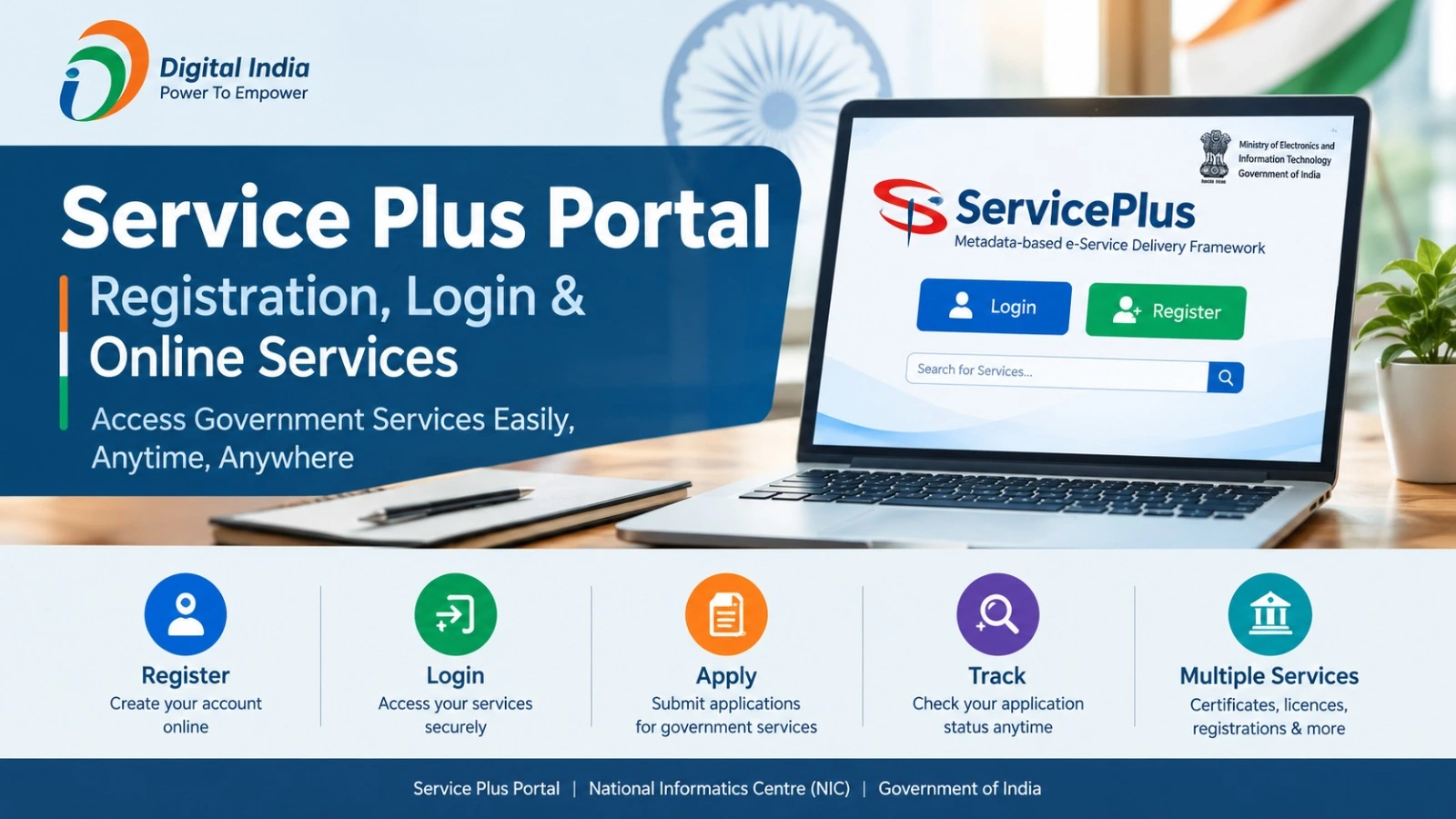
The Service Plus Portal is an online platform that helps citizens access various government services without making unnecessary visits to government offices. Developed by the National Informatics Centre (NIC), the platform supports digital service delivery for different government departments and states.
Through ServicePlus, users can explore available services, submit applications online, upload required documents and track application status. The services offered may differ depending on the state and department.
If you are looking for information about Service Plus Portal registration, login, online applications or application status, this guide explains the process in simple steps.
What Is the Service Plus Portal?
ServicePlus is an e-Service delivery framework developed by the National Informatics Centre under the Ministry of Electronics and Information Technology (MeitY).
Its main objective is to make government services more accessible through digital platforms. It allows participating government departments to provide online services to citizens, businesses and other users.
Depending on the department, these services may include certificates, licences, registrations, welfare-related applications and other public services.
Official Website: https://serviceonline.gov.in/
Service Plus Portal: Overview
| Details | Information |
| Portal Name | ServicePlus |
| Developed By | National Informatics Centre (NIC) |
| Ministry | MeitY |
| Main Purpose | Digital government services |
| Registration | Online, where available |
| Login | Registered user access |
| Application Status | Online tracking |
| Official Website | serviceonline.gov.in |
Service Plus Portal Registration Process
Citizens who want to access online services can register through the official portal when the registration facility is available.
Follow these steps:
- Visit the official website: https://serviceonline.gov.in/.
- Look for the registration or Register Here option.
- Open the registration form.
- Enter the requested personal and contact information.
- Provide your mobile number and email address, if required.
- Complete the verification process displayed on the website.
- Submit the registration form.
- Follow the instructions to access your account.
Keep your registered contact details active for verification and application-related updates.
Service Plus Portal Login
Registered users can log in to access available services and manage their applications.
Here is the general login process:
- Open the official ServicePlus website.
- Select the Login option.
- Enter your registered username and password.
- Complete the security verification, if displayed.
- Submit the details to access your account.
If you forget your password, use the Forgot Password option and follow the instructions provided on the portal.
How to Apply for Government Services Through ServicePlus?
The portal allows users to apply for eligible government services online. However, the application process and document requirements depend on the selected service.
Follow these steps:
- Visit the ServicePlus official website.
- Log in using your registered account, if required.
- Select the available services section.
- Choose your state or department where applicable.
- Search for the service you want to access.
- Read the eligibility conditions and instructions.
- Complete the application form carefully.
- Upload the required documents.
- Pay the applicable fee, if any.
- Review the information and submit the application.
After submission, save the application reference number for future use.
How to Check Service Plus Application Status?
Applicants can use the application tracking facility to check the progress of submitted applications.
The general process is:
- Visit https://serviceonline.gov.in/.
- Select Track Application on the homepage.
- Choose the available tracking method.
- Enter your application reference number.
- Provide other requested details.
- Complete verification, if required.
- Submit the information to view the application status.
You can also log in to your account and check the application tracking section, where available.
Services Available on the Service Plus Portal
ServicePlus supports different categories of government services. The actual list depends on the state and department.
| Category | Examples |
| Certificate Services | Selected government certificates |
| Regulatory Services | Licences and permits |
| Citizen Services | Department-related applications |
| Developmental Services | Welfare-related services |
| Business Services | Selected registrations and approvals |
Applicants should check the official portal to confirm whether a particular service is available in their state.
Service Plus Portal for Maharashtra
Residents of Maharashtra can explore the state-specific ServicePlus facilities through the official portal.
Maharashtra ServicePlus Website: https://serviceonline.gov.in/maharashtra/
Applicants should select the relevant service, check its eligibility requirements and follow the instructions provided by the concerned department. Service availability and application fees may vary.
Important Things to Remember Before Applying
Before submitting an online application, keep the following points in mind:
- Use the official government website.
- Check eligibility before applying.
- Keep the required documents ready.
- Enter accurate personal information.
- Check the applicable application fee.
- Save the acknowledgement and reference number.
- Track your application for further updates.
Never share your account password or verification codes with unknown individuals or websites.
Frequently Asked Questions
What is the official website of Service Plus Portal?
The official website is https://serviceonline.gov.in/.
How can I register on ServicePlus?
Visit the official portal, select the registration option if available, enter the required details and complete the verification process.
How can I log in to ServicePlus?
Click the Login option on the official website and enter your registered username and password.
Can I check my application status online?
Yes. Use the Track Application facility and enter your application reference number and other requested information.
Are all ServicePlus services free?
Not necessarily. Some services may be free, while others require an application or processing fee depending on the department.
Can Maharashtra residents use ServicePlus?
Yes. Maharashtra residents can explore the services listed on the state-specific portal and follow the relevant application instructions.
Conclusion
The Service Plus Portal provides a convenient way to access participating government services online. Its facilities for registration, login, application submission and status tracking can help citizens manage various public service requests digitally.
Before applying, always check the latest eligibility requirements, documents and fees on the official portal. This helps avoid mistakes and ensures that your application follows the instructions of the concerned government department.