Introduction
The Skill India Digital Hub (SIDH) Login portal has become one of the most important digital platforms for students, job seekers, working professionals, and training providers across India. Developed under the Ministry of Skill Development and Entrepreneurship (MSDE), the portal brings together skill training, government certifications, internships, apprenticeships, digital credentials, and employment opportunities on a single platform.
If you are looking for the complete Skill India Digital Hub (SIDH) Login 2026 guide, this article explains everything in simple language—from registration and sign in to dashboard features, password reset, and troubleshooting login issues.
What is Skill India Digital Hub (SIDH)?
Skill India Digital Hub (SIDH) is India’s integrated digital platform for skill development. It connects learners with government-approved courses, industry certifications, internships, apprenticeships, and employment opportunities.
The portal also integrates multiple digital public infrastructure services to make skill development easier and more transparent.
Some major services include:
- Government skill courses
- Industry-recognized certifications
- Digital certificates
- Career guidance
- Apprenticeships
- Internship opportunities
- Job matching
- Digital learner profile
The portal is designed to simplify the entire learning-to-employment journey for Indian citizens.
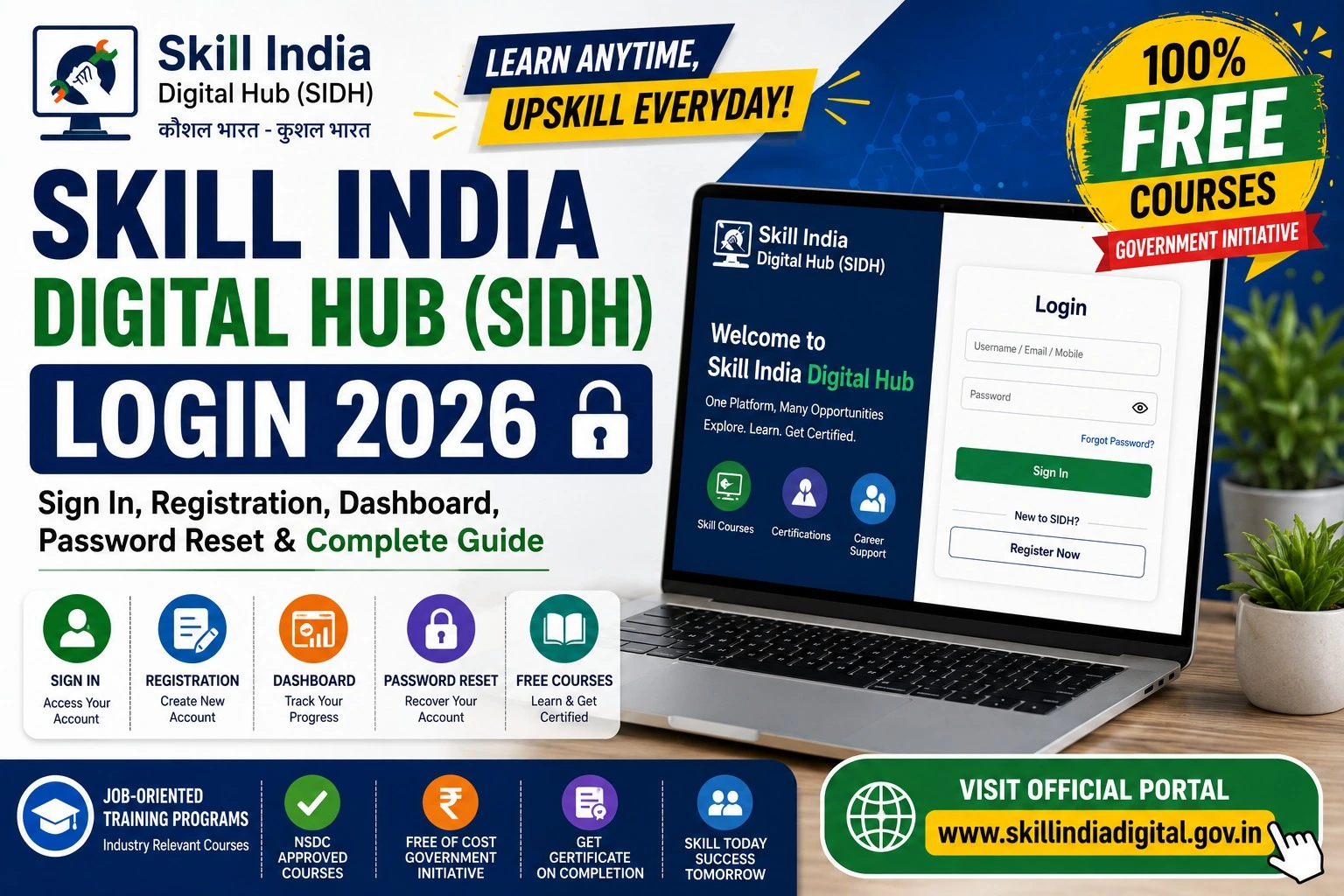
Skill India Digital Hub (SIDH) Login 2026
Existing users can access their account through the official login portal.
Login Steps
- Visit the official SIDH website.
- Click Login.
- Enter your registered mobile number or email ID.
- Verify using OTP or password.
- Click Sign In.
- Your dashboard will open instantly.
Once logged in, users can access all government skill services from a single dashboard.
How to Register on Skill India Digital Hub
New users must create an account before accessing courses and services.
Registration Process
- Open the official SIDH portal.
- Click Register.
- Enter your mobile number.
- Verify OTP.
- Fill personal details.
- Enter educational qualifications.
- Add skill interests.
- Upload required information.
- Submit the application.
Registration is completely free.
Documents Required
During registration, you may need:
- Aadhaar Number
- Mobile Number
- Email ID
- Educational Certificates
- Passport Size Photo
- Address Details
- Bank Details (if required)
- Category Certificate (where applicable)
Skill India Digital Hub Dashboard Features
After successful login, users can access a personalized dashboard.
Main Features
- My Profile
- Course Enrollment
- Certificate Download
- Skill Assessment
- Internship Applications
- Apprenticeship Opportunities
- Job Listings
- Career Guidance
- Digital Credentials
- Notifications
Everything is available through a single dashboard.
How to Reset SIDH Password
Forgot your login password?
Follow these simple steps.
- Visit the Login page.
- Click Forgot Password.
- Enter registered mobile number.
- Verify OTP.
- Create a new password.
- Login using the new password.
Password recovery usually takes only a few minutes.
Benefits of Skill India Digital Hub
The portal offers numerous advantages.
Students
- Free learning opportunities
- Government certifications
- Career guidance
Job Seekers
- Verified job opportunities
- Resume building
- Skill improvement
Working Professionals
- Upskilling
- Digital certifications
- Career growth
Training Partners
- Student management
- Course publishing
- Assessment tools
Services Available on SIDH Portal
| Service | Available |
| Online Registration | Yes |
| Login Dashboard | Yes |
| Skill Courses | Yes |
| Certificate Download | Yes |
| Job Opportunities | Yes |
| Apprenticeships | Yes |
| Internship Programs | Yes |
| Digital Credentials | Yes |
| Career Guidance | Yes |
| Government Schemes | Yes |
Who Can Register?
Almost every Indian citizen can register.
Eligible users include:
- School Students
- College Students
- Fresh Graduates
- Working Professionals
- Women
- Rural Youth
- Entrepreneurs
- Job Seekers
- ITI Students
- Polytechnic Students
Common Login Problems and Solutions
| Problem | Solution |
| OTP Not Received | Wait a few minutes and request a new OTP. |
| Forgot Password | Use the “Forgot Password” option. |
| Incorrect Mobile Number | Ensure you use the registered number. |
| Dashboard Not Loading | Refresh the page or clear browser cache. |
| Website Slow | Try during non-peak hours or switch browsers. |
Why Should You Use Skill India Digital Hub?
The platform combines learning, certification, and employment into one ecosystem. Instead of visiting multiple government websites, users can manage their profile, enroll in courses, earn certificates, and explore jobs from a single account.
For students and job seekers, this significantly reduces the time spent searching for genuine government-approved opportunities.
Tips for Safe Login
To keep your account secure:
- Never share your OTP.
- Use a strong password.
- Keep your mobile number updated.
- Log out from public devices.
- Check notifications regularly for important updates.
Frequently Asked Questions (FAQs)
What is Skill India Digital Hub (SIDH)?
It is the Government of India’s integrated digital platform for skill development, training, certifications, internships, and employment services.
Is SIDH registration free?
Yes. Registration on the Skill India Digital Hub is completely free.
Can I download my certificate from SIDH?
Yes. Eligible users can download their digital certificates through the dashboard after completing the required courses or assessments.
How do I recover my SIDH password?
Use the Forgot Password option on the login page, verify your registered mobile number with an OTP, and create a new password.
Who can use the SIDH portal?
Students, graduates, professionals, job seekers, entrepreneurs, and training providers can use the platform.
Final Words
The Skill India Digital Hub (SIDH) Login 2026 portal is transforming the way Indians access skill development, government certifications, internships, apprenticeships, and employment opportunities. With a free registration process, a user-friendly dashboard, and a wide range of career-focused services, it serves as a one-stop digital platform for learners and professionals alike.
If you haven’t created your account yet, register through the official portal, complete your profile, explore relevant skill courses, and regularly monitor your dashboard for new training programs, certifications, internships, and job opportunities.