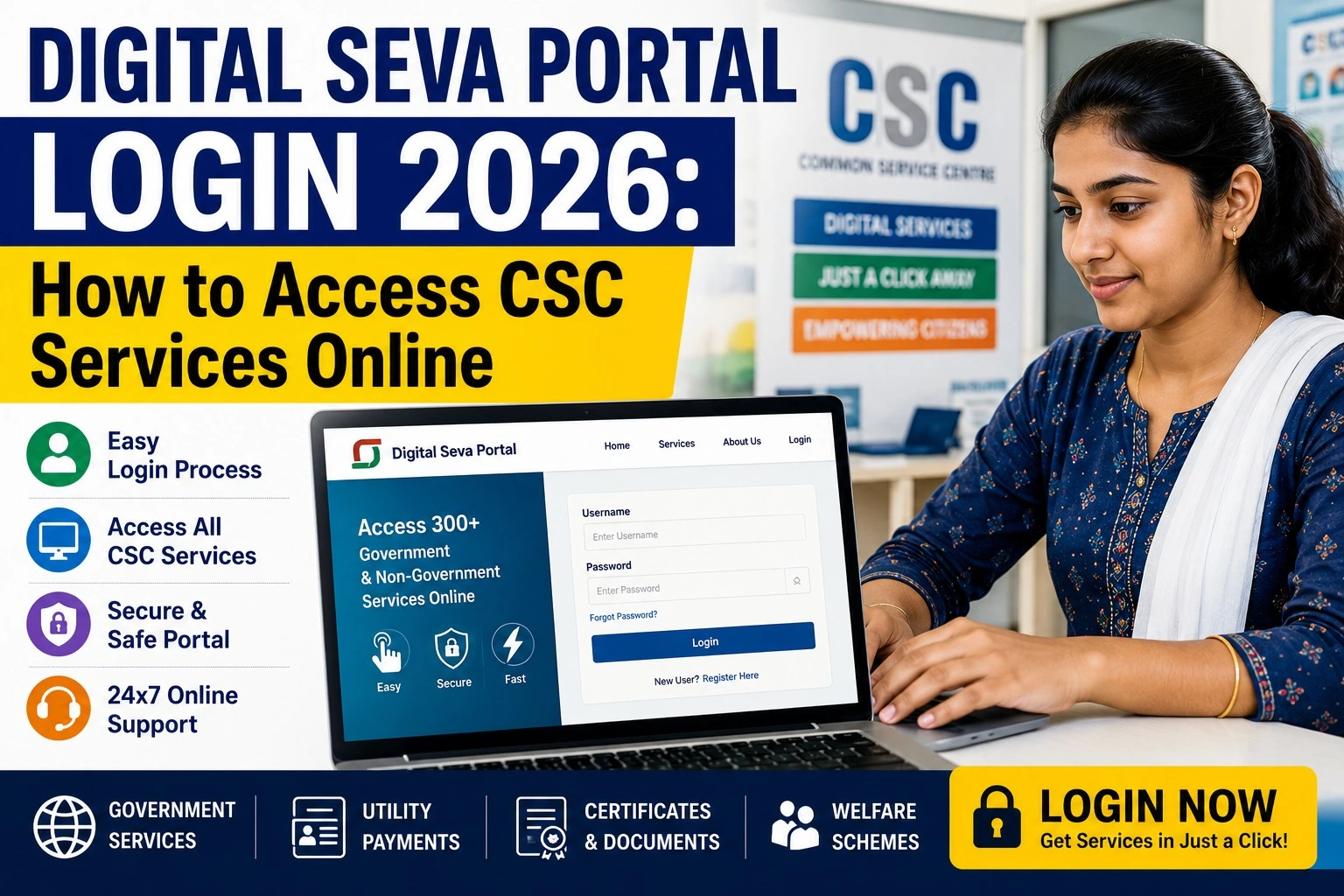
Digital Seva Portal Login 2026: How to Access CSC Services Online
Introduction
The Digital Seva Portal Login 2026 is the official gateway for Village Level Entrepreneurs (VLEs) operating under the Common Services Centres (CSC) scheme. Through this portal, VLEs can access hundreds of government and digital services, including Aadhaar-enabled banking, PAN card applications, insurance, utility bill payments, passport services, and various citizen-centric schemes.
If you are a registered CSC VLE or planning to become one, understanding the Digital Seva Portal login process is essential. This guide explains everything in simple language—from logging in and registration to available services and common login issues.
What is the Digital Seva Portal?
The Digital Seva Portal is an online platform developed under the Common Services Centres (CSC) initiative of the Ministry of Electronics and Information Technology (MeitY), Government of India. The portal connects government services with citizens through authorized CSC centres across the country.
The objective is to improve digital inclusion by providing government and private sector services in rural and semi-urban India.
Digital Seva Portal 2026: Overview
| Particular | Details |
| Portal Name | Digital Seva Portal |
| Operated By | Common Services Centres (CSC) |
| Ministry | Ministry of Electronics and Information Technology (MeitY) |
| Purpose | Access CSC Digital Services |
| Beneficiaries | CSC VLEs and Citizens |
| Login Mode | CSC ID & Password |
| Official Website | https://digitalseva.csc.gov.in |
| Services | Banking, PAN, Insurance, Government Schemes, Bill Payments, Certificates |
Who Can Use the Digital Seva Portal?
The portal is mainly designed for:
- Registered CSC Village Level Entrepreneurs (VLEs)
- Common Service Centre operators
- Rural entrepreneurs
- Citizens receiving services through CSC centres
Only authorized VLEs can log in using valid CSC credentials.
How to Complete Digital Seva Portal Login 2026
Follow these simple steps:
- Visit the official Digital Seva Portal.
- Click on the Login button.
- Enter your CSC ID or Username.
- Type your password.
- Complete any security verification if prompted.
- Click Sign In.
- Your dashboard will open, where you can access available CSC services.
Always use the official website to avoid phishing or fraudulent portals.
Major Services Available After Login
Once logged in, users can access numerous digital services, including:
- Aadhaar-enabled Payment System (AePS)
- PAN Card Services
- Passport Application Support
- Utility Bill Payments
- Banking and Financial Services
- Insurance Services
- Pension Schemes
- Income Tax Related Services
- Government Certificates
- Skill Development Programs
- Education Services
- Telemedicine
- E-Commerce Services
- Railway and Flight Ticket Booking
- Digital Banking
The list of services is updated regularly as new government initiatives are introduced.
Benefits of Digital Seva Portal
The portal offers several advantages for CSC operators and citizens.
- One platform for multiple government services.
- Easy digital access for rural communities.
- Secure online transactions.
- Income opportunities for Village Level Entrepreneurs.
- Faster document processing.
- Digital financial inclusion.
- Easy service tracking.
- Online support for various citizen services.
Forgot Your Password?
If you cannot log in:
- Visit the login page.
- Click Forgot Password.
- Verify your registered mobile number or email.
- Follow the verification process.
- Create a new secure password.
If the issue continues, contact the CSC Helpdesk through the official portal.
Common Login Problems and Solutions
| Problem | Solution |
| Incorrect Password | Reset password using Forgot Password |
| Invalid CSC ID | Check your registration details |
| Website Not Opening | Try again later or clear browser cache |
| OTP Not Received | Verify mobile network and registered number |
| Account Locked | Contact CSC Support |
Important Tips for Safe Login
- Always use the official Digital Seva Portal.
- Never share your CSC password.
- Enable two-factor authentication if available.
- Log out after completing your work.
- Avoid using public computers for sensitive transactions.
- Update your password regularly.
Documents Required for CSC Registration
If you are applying to become a VLE, you may generally need:
- Aadhaar Card
- PAN Card
- Mobile Number
- Email ID
- Bank Account Details
- Passport-size Photograph
- Address Proof
- Educational Qualification (if applicable)
Eligibility and document requirements may change based on CSC guidelines.
Why the Digital Seva Portal Matters
India’s Digital India initiative aims to make government services accessible online. The Digital Seva Portal plays a key role by helping CSC operators deliver essential services to citizens who may not have easy access to government offices.
From banking and insurance to education and welfare schemes, the portal has become an important bridge between citizens and digital governance.
Frequently Asked Questions (FAQs)
What is the Digital Seva Portal Login?
It is the official login system used by registered CSC Village Level Entrepreneurs to access government and digital services.
Who can log in?
Only registered CSC VLEs with valid login credentials can access the portal.
Is Digital Seva Portal free?
The portal is free to access for authorized users, although certain services may involve government or service-related fees.
Can citizens directly log in?
Most services are delivered through CSC centres. Citizens generally visit a nearby CSC for assistance.
Which ministry manages the portal?
The Common Services Centres initiative functions under the Ministry of Electronics and Information Technology (MeitY), Government of India.
Final Words
The Digital Seva Portal Login 2026 continues to be one of India’s most important digital governance platforms, enabling CSC operators to deliver hundreds of government and private services efficiently. Whether you need banking support, document services, insurance, or access to government schemes, the portal simplifies service delivery through the nationwide CSC network.
For security and accurate information, always access the portal through the official website and follow the latest guidelines issued by CSC and MeitY.