Introduction
If you have completed a skill development course through the Skill India Digital Hub (SIDH) and want to download your certificate, you can check your course and certification status through the official Skill India platform.
The Skill India Digital Hub is a government skilling platform designed to bring training, certification, career and related skill-development services into a digital ecosystem. The official platform is owned by the Ministry of Skill Development and Entrepreneurship (MSDE), Government of India.
This guide explains how to check your Skill India Certificate Download 2026 status, where to find your certificate, what to check if it is not available and how to use official links safely.
Skill India Certificate Download 2026 – Overview
| Particular | Details |
| Article Topic | Skill India Certificate Download 2026 |
| Platform | Skill India Digital Hub (SIDH) |
| Main Service | Skill training and certification |
| Ministry | Ministry of Skill Development & Entrepreneurship |
| Certificate | Course/training certificate, where applicable |
| Login | Through the learner’s SIDH account |
| Official Portal | Skill India Digital Hub |
| Website | skillindiadigital.gov.in |
The official SIDH platform currently provides access to courses and skilling services, while its course portal allows users to search and explore available courses.
What Is a Skill India Certificate?
A Skill India certificate is documentation of successful completion of a relevant skill-development programme or course, where certification is provided under that programme.
It is important to understand that not every course necessarily follows exactly the same certification process. Certificate availability can depend on the particular course, training programme, assessment and other applicable requirements.
Therefore, if you have completed a course but cannot immediately find a certificate, first check whether all requirements have been completed.
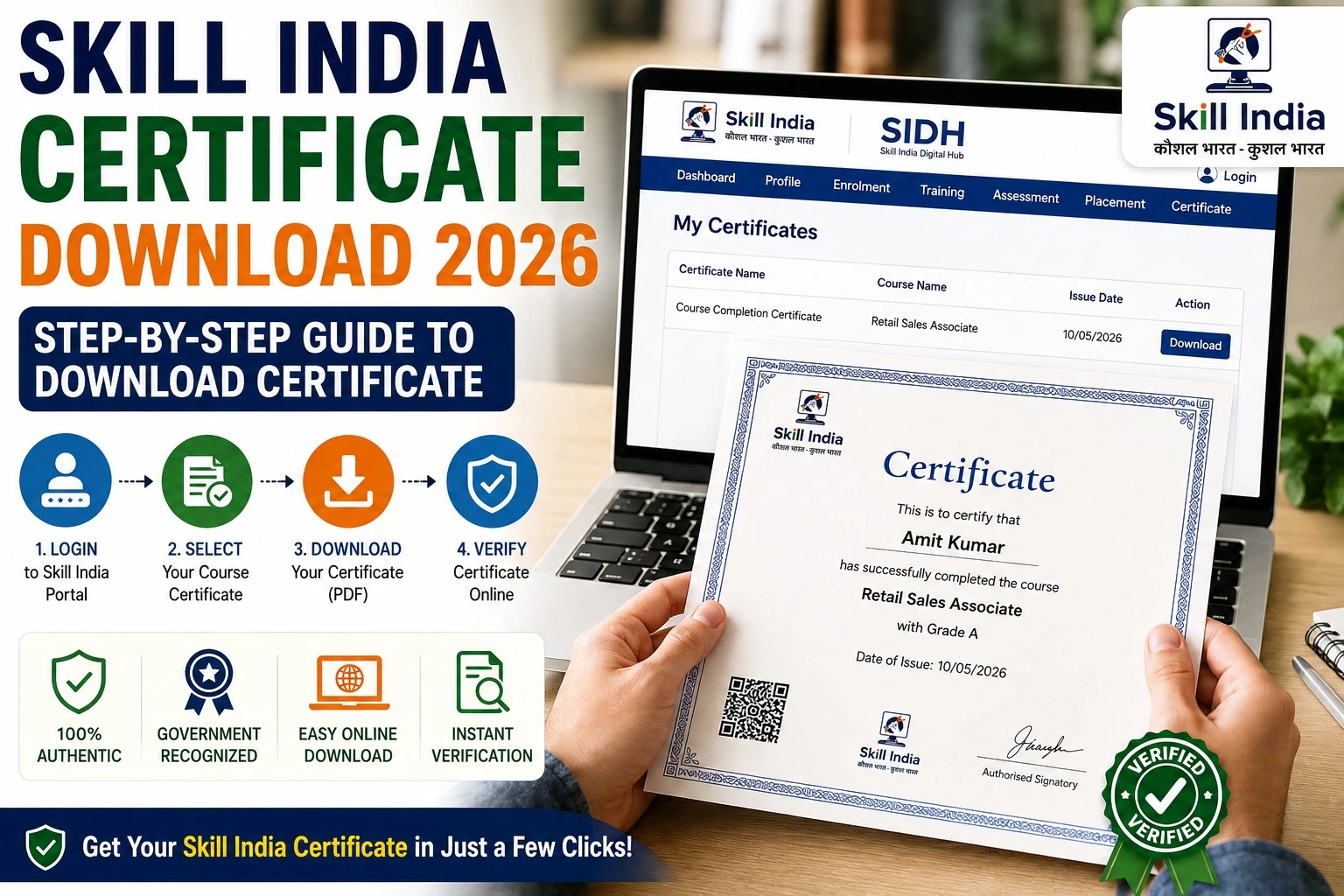
How to Download Skill India Certificate 2026
Follow these steps to check your certificate.
Step 1: Open the Official Skill India Portal
Visit the official Skill India Digital Hub website.
Official Skill India Digital Hub Portal
Always check the domain before entering your login details. Avoid websites claiming to provide a Skill India certificate if they are not part of the official platform.
Step 2: Log In to Your Account
Use the login option available on the official platform and sign in with the account you used for your Skill India course or training.
If you have multiple accounts, make sure you are using the account connected with the completed course.
Step 3: Open Your Course or Dashboard
After signing in, check your learner dashboard and look for your enrolled or completed courses.
Select the course for which you want to check the certificate.
The official Skill India course platform currently provides a searchable course section where learners can explore available courses.
Step 4: Check Your Course Completion Status
Before looking for a download button, confirm that the course has been completed.
Depending on the programme, you may need to complete learning activities, training requirements or an assessment before certification becomes available.
Do not assume that simply enrolling in a course automatically generates a certificate.
Step 5: Look for the Certificate Option
If your course provides certification and you have completed the required conditions, check the course or learner dashboard for the available certificate option.
Depending on the programme’s interface, you may see an option such as:
- View Certificate
- Certificate
- Download Certificate
- Download Credential
- Certificate Details
The exact wording and location can change as the platform is updated, so follow the options displayed in your account.
Step 6: Download and Save Your Certificate
If your certificate is available, download it and save a copy securely.
It is a good idea to keep both a digital copy and, if required for an application, a printed copy.
Skill India Certificate Not Showing? Check These Things
Sometimes learners complete a course but do not immediately see a certificate.
Before contacting support, check the following:
- Course completion: Make sure the course is actually marked as completed.
- Assessment: Check whether an assessment or examination is still pending.
- Correct account: Confirm that you are logged into the account used for the course.
- Programme requirements: Read the individual course requirements carefully.
- Recent completion: If you have only recently completed the course, check again after the platform updates your status.
- Official support: If everything is complete but the certificate remains unavailable, use the relevant official support facility.
The official Skill India ecosystem includes courses, certification and career-focused services as part of its skilling platform.
Important Skill India Portal Links
| Service | Official Link |
| Skill India Digital Hub | Open Official SIDH Portal |
| Skill India Courses | Browse Skill India Courses |
| Skill India Digital | Visit Skill India Digital |
The official Skill India platform also supports multiple Indian languages, making the digital skilling ecosystem more accessible to learners across the country.
How to Check Your Skill India Certificate Details
Once you receive your certificate, check the information carefully before using it for a job, internship, admission or other official purpose.
Look for:
- Your name
- Course or programme name
- Training or qualification details
- Issuing organisation
- Completion information
- Certificate or credential number, if provided
- QR code or verification facility, if provided
If your certificate contains an official verification mechanism, use that method rather than relying on unrelated third-party certificate-checking websites.
Is Skill India Certificate Valid?
The value and recognition of a certificate depend on the specific course, programme and issuing authority.
Skill India is a government skilling ecosystem under the Ministry of Skill Development and Entrepreneurship, but learners should check the details of their particular programme before claiming that a certificate provides a specific qualification, job eligibility or government benefit.
For employment purposes, an employer may also have its own eligibility requirements.
Tips Before Downloading Your Certificate
Keep these simple precautions in mind:
- Use the official Skill India website.
- Never share your password or OTP with another person.
- Check your course completion status first.
- Do not pay an unofficial website for a certificate download.
- Keep a backup of your downloaded certificate.
- Check your name and course details before submitting the document anywhere.
- Use official verification options wherever available.
Frequently Asked Questions
How can I download my Skill India certificate?
Log in to the official Skill India Digital Hub, open your completed course and check for the certificate or download option provided for that programme.
Can I download my Skill India certificate from SIDH?
If your particular course or programme provides certification and you have fulfilled its requirements, the certificate may be made available through your SIDH account.
Why is my Skill India certificate not showing?
Check your course completion status, assessment requirements and account details first. Certification can depend on the requirements of the particular programme.
Is Skill India Certificate Download free?
Do not pay an unofficial website simply to download your certificate. Use the official Skill India platform and follow the instructions shown for your programme.
What is the official Skill India website?
The Skill India Digital Hub can be accessed through the official government skilling platform at web.skillindiadigital.gov.in.
Final Words
The Skill India Certificate Download 2026 process starts with checking your course completion status on the official Skill India Digital Hub. Once all applicable training and assessment requirements are fulfilled, check your learner dashboard for the certificate option provided by your programme.
If the certificate is not visible, do not immediately assume that your course has failed or that you need to pay someone for assistance. First verify your completion status, assessment requirements and account details.
For the safest and most accurate information, always use the official Skill India Digital Hub and the course-specific instructions available on the platform.