Introduction
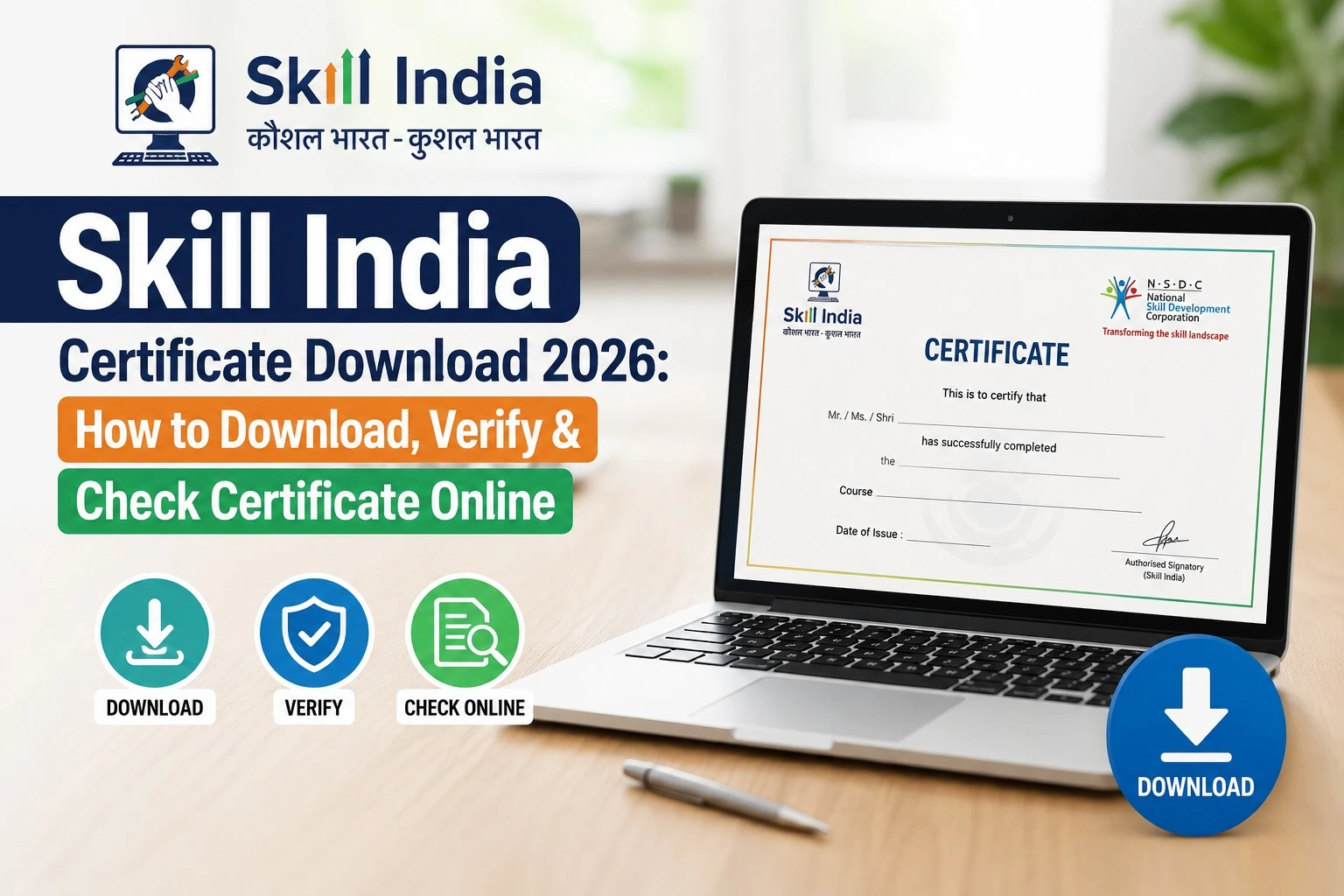
If you have completed a course or skill training programme through the Skill India Digital Hub (SIDH) and are looking for your Skill India Certificate, you can check your certificate status and access available digital records through the official digital skilling ecosystem.
The Skill India Digital platform is operated under the Ministry of Skill Development and Entrepreneurship (MSDE), Government of India. It brings courses, training, certification and other skilling services together through a digital platform.
This guide explains how to check your Skill India certificate, what to do if it is not visible, and how certificate verification works.
Skill India Certificate Download 2026 – Quick Overview
| Particular | Details |
| Certificate | Skill India Course/Training Certificate |
| Platform | Skill India Digital Hub (SIDH) |
| Ministry | Ministry of Skill Development & Entrepreneurship |
| Year | 2026 |
| Main Requirement | Completed eligible training/course |
| Login | Registered account credentials |
| Certificate Status | Depends on course and certification process |
| Official Platform | Skill India Digital |
What Is the Skill India Certificate?
A Skill India Certificate is a digital record/certificate associated with eligible skill training or certification completed through programmes available in the Skill India ecosystem.
The Skill India Digital platform is designed to provide citizens with access to skill courses, certification, skill centres, jobs and apprenticeship opportunities. The official platform also describes itself as multilingual and career-focused.
However, not every course automatically produces a certificate. Certificate availability can depend on the specific course, training provider, assessment and certification requirements.
How to Download Skill India Certificate 2026
If your course has been completed and your certificate has been issued, follow these general steps:
Step 1: Visit the Official Skill India Digital Platform
Open the official Skill India Digital website using the link below:
Skill India Digital – Official Portal
Always use the official government platform rather than an unknown third-party website when entering your personal information.
Step 2: Log In to Your Account
Sign in using the account details associated with your Skill India Digital profile.
Make sure you use the same account that was used to register for and complete the training programme.
Step 3: Open Your Course or Training Details
After logging in, look for your enrolled or completed courses. The exact dashboard options may vary depending on the programme and platform updates.
Open the relevant completed course or training record.
Step 4: Check Certificate Status
Look for an option related to Certificate, Certification, Credential or a similar section.
If the certification process has been completed, the certificate may become available through your account.
Step 5: Download the Certificate
If a download option is provided, select it and save the certificate to your phone or computer.
It is a good idea to keep a copy of the certificate in a secure location because you may need it later for employment, training records or further applications.
Skill India Certificate Verification 2026
Certificate verification is important when an employer, institution or another organisation needs to confirm that a certificate is genuine.
The exact verification process can vary according to the programme and issuing authority. Therefore, users should follow the verification instructions provided with their particular certificate.
Do not rely on unofficial websites claiming to verify certificates unless they are clearly connected to the relevant government or authorised certification system.
What If My Skill India Certificate Is Not Showing?
There can be several reasons why a certificate is not immediately visible.
First, check whether your course has actually been completed. Some programmes require an assessment or examination before certification.
You should also confirm that you are logged into the correct Skill India Digital account.
If your training has recently ended, certification may also take some time to be processed by the relevant training or certification authority.
If the problem continues, contact the relevant training provider or use the official portal’s available support or grievance options.
Can I Download a Skill India Certificate Without Completing the Course?
Generally, you should not expect a certificate simply because you registered for a course.
Certification depends on the requirements of the particular programme. Some courses may have completion, assessment or other eligibility conditions.
Therefore, check the specific course information before assuming that registration alone makes you eligible for a certificate.
Skill India Certificate and DigiLocker
Some government-issued educational and skill credentials may also be made available through digital document systems such as DigiLocker, depending on the issuing organisation and programme.
If your certificate is eligible for digital issuance through DigiLocker, follow the instructions provided by the concerned authority. Do not assume that every Skill India course certificate will automatically appear there.
Skill India Certificate Download – Important Links
| Service | Official Link |
| Skill India Digital Portal | Open Official SIDH Portal |
| Skill India Digital Courses | View Skill India Digital Courses |
| DGT Skill India Digital Portal | Visit DGT Skill India Digital |
The official DGT Skill India Digital site identifies the platform as part of the Ministry of Skill Development and Entrepreneurship’s skilling ecosystem.
Common Problems While Checking the Certificate
Some students may face issues such as:
- Certificate not appearing after course completion
- Incorrect login details
- Course status not updated
- Assessment results still pending
- Certificate generation still in progress
- Mismatch in profile information
- Technical problems with the portal
If you experience one of these issues, first check your course and account information carefully. If the issue remains, contact the training provider or use the official support mechanism.
Frequently Asked Questions
How can I download my Skill India Certificate?
Log in to your official Skill India Digital account, open your completed course or training record and check whether the certificate or credential download option is available.
Is Skill India Certificate available online?
For eligible programmes, certification records can be provided digitally. Availability depends on the particular course and certification process.
Can I verify my Skill India Certificate online?
Yes, where an official verification facility is provided for the relevant certificate or programme. Use only the verification method supplied by the issuing authority.
Why is my Skill India Certificate not showing?
Your course may not have completed the certification process, your assessment may be pending, or you may be using a different account from the one used during registration.
Is every Skill India course certificate downloadable?
No. Certificate availability and requirements can differ between courses and training programmes.
Final Words
The Skill India Certificate Download 2026 process is primarily linked to your course completion and certification status. The safest approach is to access your account through the official Skill India Digital platform, check the completed training record and download the certificate only when it has been officially issued.
Because the Skill India Digital platform and individual programme processes can change, always check the latest information on the official portal before relying on a certificate for a job, admission or other official purpose.