Introduction
In today’s digital age, carrying important documents everywhere is no longer necessary. Whether you are applying for a government job, seeking college admission, renewing your driving licence, or accessing government welfare schemes, DigiLocker makes document management easier and more secure. Through Digital Seva initiatives, citizens can safely store, access, and share verified digital documents anytime, anywhere.
If you are looking for the complete Digital Seva DigiLocker Login 2026 guide, this article explains everything in simple language. You will learn how to register, sign in, download documents, recover your account, and use DigiLocker for various government services.
What is DigiLocker?
DigiLocker is a secure digital document wallet developed by the Ministry of Electronics and Information Technology (MeitY) under the Government of India’s Digital India programme. It allows citizens to receive, store, verify, and share official digital documents issued by government departments and educational institutions.
Instead of carrying physical copies, users can present digitally verified documents directly from their DigiLocker account whenever required.
Digital Seva DigiLocker 2026 Overview
| Particular | Details |
| Portal Name | DigiLocker |
| Initiative | Digital India |
| Managed By | Ministry of Electronics & Information Technology (MeitY) |
| Service Type | Digital Document Storage |
| Registration Mode | Online |
| Login Method | Mobile Number, Aadhaar, Username |
| Official Website | https://www.digilocker.gov.in |
| Mobile App | Available on Android & iOS |
| Charges | Free |
What Can You Store in DigiLocker?
DigiLocker supports thousands of officially issued documents from government departments and educational institutions.
Some of the most commonly used documents include:
- Aadhaar Card
- PAN Card
- Driving Licence
- Vehicle Registration Certificate (RC)
- CBSE Marksheet
- University Certificates
- Insurance Documents
- Birth Certificate
- Income Certificate
- Caste Certificate
- Pension Documents
- Government Scheme Certificates
These digital documents are accepted by many government departments because they are digitally verified.
How to Register on DigiLocker in 2026
Creating a DigiLocker account takes only a few minutes.
Step 1
Visit the official DigiLocker portal.
Step 2
Click on Sign Up.
Step 3
Enter your:
- Mobile Number
- Full Name
- Date of Birth
- Email Address (Optional)
Step 4
Verify your mobile number using the OTP.
Step 5
Create your Username and Password.
Step 6
Link your Aadhaar number for easier access to government-issued documents.
Your DigiLocker account is now ready.
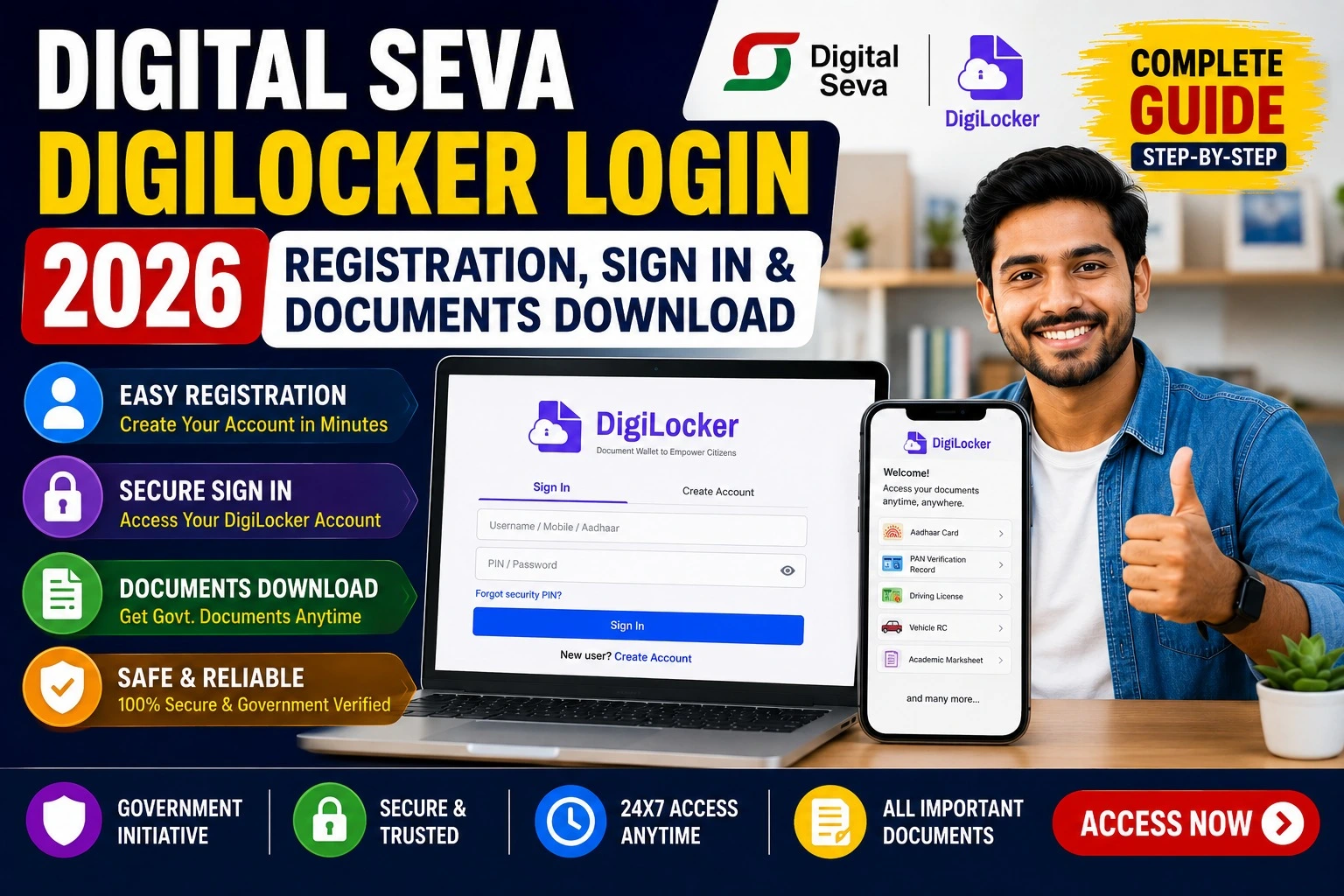
Digital Seva DigiLocker Login Process
If you already have an account, follow these steps:
- Open the DigiLocker portal.
- Click Sign In.
- Enter your Username, Aadhaar, or Mobile Number.
- Enter your Password.
- Complete OTP verification if required.
- Your dashboard will open immediately.
Once logged in, you can access all your stored documents securely.
How to Download Documents from DigiLocker
Downloading documents is simple.
- Login to your DigiLocker account.
- Open Issued Documents.
- Select the required document.
- Click Download PDF.
- Save the file to your device.
Downloaded documents usually include a QR code and digital verification details.
Major Benefits of DigiLocker
Millions of Indians use DigiLocker because of its convenience and security.
Secure Storage
Documents remain protected with advanced encryption.
Paperless Services
No need to carry physical documents during many official processes.
Instant Verification
Government agencies can verify digital documents instantly.
Available Anytime
Access documents 24×7 from your mobile phone or computer.
Free Service
There is no registration fee or annual subscription.
Documents Available Through DigiLocker
| Document Type | Available |
| Aadhaar | Yes |
| PAN Card | Yes |
| Driving Licence | Yes |
| Vehicle RC | Yes |
| Academic Certificates | Yes |
| Birth Certificate | Yes |
| Insurance Documents | Yes |
| Income Certificate | Yes |
| Pension Records | Yes |
Forgot DigiLocker Password?
If you cannot log in:
- Click Forgot Password
- Enter your registered mobile number
- Verify the OTP
- Create a new password
- Login again
If you forgot your username, use the Recover Username option on the portal.
DigiLocker Mobile App
The DigiLocker mobile application provides all services available on the website.
Features include:
- Login using mobile number
- Download documents
- Upload personal files
- Share verified documents
- Receive government-issued certificates
- QR Code verification
The app is available for Android and iPhone users.
Why DigiLocker Matters in 2026
Government departments continue to expand digital services every year. Many recruitment agencies, universities, banks, and public institutions now accept digitally issued documents through DigiLocker.
This reduces paperwork, improves transparency, speeds up verification, and supports India’s vision of paperless governance under the Digital India initiative.
Safety Tips While Using DigiLocker
- Always access the official DigiLocker portal.
- Never share your OTP or password.
- Enable mobile number verification.
- Keep your Aadhaar details updated.
- Log out after using public computers.
Common Login Problems and Solutions
| Problem | Solution |
| OTP Not Received | Wait a few minutes or request a new OTP |
| Wrong Password | Use the Forgot Password option |
| Username Forgotten | Recover Username |
| Aadhaar Not Linked | Link Aadhaar after login |
| Mobile Number Changed | Update your registered mobile number |
Frequently Asked Questions (FAQs)
Is DigiLocker free?
Yes. DigiLocker is completely free for all Indian citizens.
Can I use DigiLocker documents for government jobs?
Yes. Many government departments accept digitally verified documents issued through DigiLocker.
Is Aadhaar mandatory?
No. You can create an account using your mobile number, although linking Aadhaar provides access to more government-issued documents.
Is DigiLocker safe?
Yes. DigiLocker uses secure authentication, encryption, and OTP verification to protect user data.
Can I access DigiLocker from my smartphone?
Yes. The DigiLocker app is available for both Android and iOS devices.
Official Resources
| Resource | Purpose |
| DigiLocker Official Portal | Registration, Login & Document Management |
| DigiLocker Mobile App | Access documents on smartphones |
| Digital India Portal | Government digital services information |
| MeitY | Digital governance and policy updates |
Final Words
Digital Seva DigiLocker has become one of the most important online services for Indian citizens. Whether you are a student, job seeker, employee, pensioner, or business owner, DigiLocker allows you to securely store and instantly access verified government documents without carrying physical copies.
By registering for DigiLocker in 2026, you can simplify document verification, save time during applications, and stay prepared for digital government services. Always use the official DigiLocker portal and keep your account information secure to enjoy a smooth and safe experience.