Introduction
The CSC Login Digital Seva portal is one of India’s most important digital governance platforms, helping Village Level Entrepreneurs (VLEs) deliver government and digital services to millions of citizens. Managed by CSC e-Governance Services India Limited under the Ministry of Electronics and Information Technology (MeitY), the platform supports the Digital India mission by making public services more accessible across urban and rural areas.
Whether you are a new VLE looking to register or an existing operator trying to access your dashboard, this guide explains the official login process, registration requirements, available services, password recovery, and common troubleshooting steps in simple language.
CSC Login Digital Seva Overview
| Particular | Details |
| Portal Name | CSC Digital Seva Portal |
| Popular Search | CSC Login Digital Seva |
| Managed By | CSC e-Governance Services India Limited |
| Ministry | Ministry of Electronics and Information Technology (MeitY) |
| Beneficiaries | Village Level Entrepreneurs (VLEs) |
| Purpose | Access digital and government services |
| Login Requirement | Valid CSC ID and Password |
| Official Portal | https://digitalseva.csc.gov.in |
What is CSC Login Digital Seva?
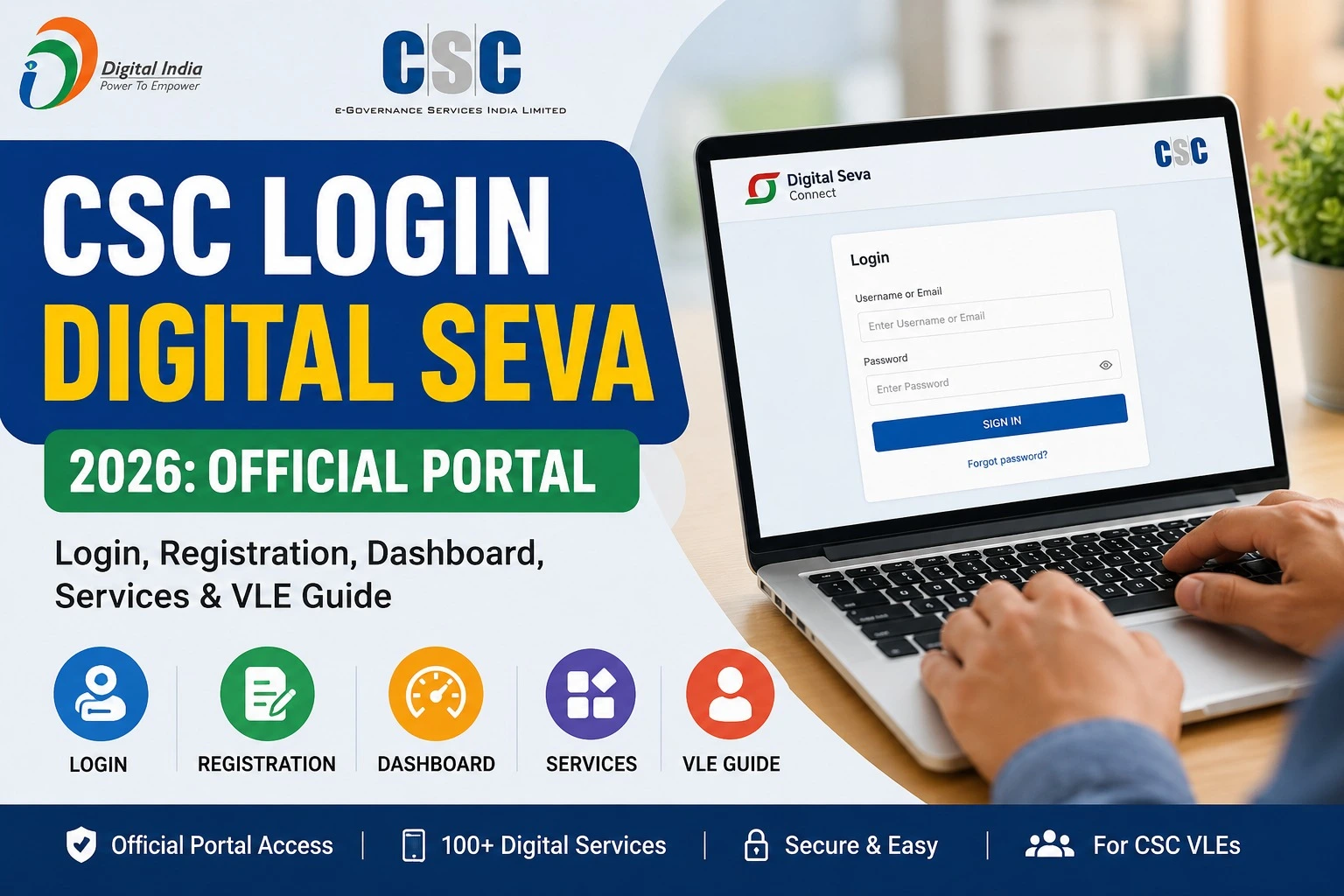
CSC Login Digital Seva is the secure authentication system that allows registered CSC operators (VLEs) to access the Digital Seva Portal. After logging in, VLEs can provide a wide range of citizen-centric services from a single dashboard.
The platform supports services related to banking, insurance, education, telemedicine, utility payments, PAN applications, DigiPay, government schemes, and more.
Instead of visiting multiple government offices, citizens can visit a nearby CSC centre where an authorized VLE helps them complete various digital services online.
How to Login to CSC Digital Seva Portal
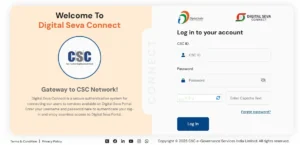
Logging into the portal is straightforward if you have valid credentials.
Step 1
Open the official CSC Digital Seva Portal:
https://digitalseva.csc.gov.in
Step 2
Click the Login option.
Step 3
Enter your registered CSC ID.
Step 4
Type your password carefully.
Step 5
Complete any security verification if prompted.
Step 6
Click Sign In.
After successful authentication, your CSC Dashboard will open.
CSC Registration Process
If you do not have a CSC ID, you must first complete the registration process.
Generally, applicants should keep the following ready:
- Aadhaar Card
- PAN Card
- Mobile Number
- Email ID
- Bank Account Details
- Passport-size Photograph
- Address Proof
- Educational Details (if required)
Registration is subject to CSC eligibility rules and verification. Approval timelines may vary.
Services Available After CSC Login
After accessing the dashboard, eligible VLEs can provide numerous services, including:
| Category | Services |
| Identity Services | PAN Card, Aadhaar-related assistance (where authorized) |
| Banking | DigiPay, Banking Correspondent services |
| Insurance | Life, Health and General Insurance |
| Government Schemes | PM Kisan, Pension, Social Welfare Services |
| Utility Services | Electricity, Water, Gas and Mobile Recharge |
| Education | Online Courses, Skill Development |
| Healthcare | Telemedicine Services |
| Travel | Railway, Bus and Flight Booking |
| Financial Services | Banking, Micro ATM, Money Transfer |
| Digital Payments | UPI and Digital Transactions |
The services available may differ based on your authorization level and applicable government guidelines.
CSC Dashboard Features
The CSC Dashboard acts as the central workspace for VLEs.
It allows users to:
- Access all CSC services
- Track submitted applications
- Monitor transaction history
- Download reports
- View commission details
- Update profile information
- Access DigiPay
- Launch partner services
- Receive official notifications
Forgot CSC Login Password?
If you cannot remember your password, follow these steps:
- Visit the official login page.
- Select Forgot Password.
- Enter your CSC ID.
- Verify using your registered mobile number or email.
- Create a new password.
For security reasons, never share your login credentials with anyone.
Benefits of CSC Login Digital Seva
The portal offers several advantages to VLEs and citizens alike:
- Single dashboard for multiple government services.
- Secure online access for registered operators.
- Faster service delivery in rural and urban areas.
- Digital record management.
- Transparent transaction tracking.
- Opportunities for rural entrepreneurship.
- Support for the Digital India initiative.
Common Login Problems and Solutions
Invalid CSC ID
Ensure that your CSC ID is entered correctly without extra spaces.
Incorrect Password
Reset your password using the official recovery option.
Website Not Loading
Clear your browser cache or try another browser. Temporary maintenance may also affect access.
Account Locked
If your account is locked due to multiple failed login attempts, contact official CSC support.
Tips for Safe Login
- Always use the official CSC Digital Seva Portal.
- Never share your CSC ID or password.
- Use a strong password and change it periodically.
- Log out after completing your work.
- Avoid logging in on public or shared computers.
Frequently Asked Questions (FAQs)
Who can use CSC Login Digital Seva?
Only registered Village Level Entrepreneurs (VLEs) with valid CSC credentials can access the portal.
Is CSC Login Digital Seva free?
Portal access is available for authorized users. Individual services may have government-approved service charges where applicable.
Can I register online?
Yes. Eligible applicants can apply through the official CSC registration process.
Can I access the portal from mobile?
Yes. The portal is accessible through supported mobile browsers, and CSC also provides mobile applications for certain services.
What should I do if my login fails repeatedly?
Verify your credentials, reset your password if necessary, and contact CSC support if the issue continues.
Final Words
The CSC Login Digital Seva portal is a key component of India’s Digital India ecosystem. It empowers authorized VLEs to deliver a broad range of digital and government services through a secure online platform. Whether you need to log in, register, manage your dashboard, or understand the available services, using the official portal and following the correct procedures will help ensure a smooth experience.
As government digital services continue to expand, staying informed about official updates, eligibility rules, and portal changes can help VLEs serve citizens more effectively while maintaining secure access to the platform.